
311

The City of El Paso’s 3-1-1 Program is the City's reporting and information citizen hotline.

EP 311 Program

ep311

The City of El Paso’s 3-1-1 Program is a type of citizens’ hotline. It’s a simple way for you to report problems or ask questions about your community, without tying up emergency lines, or going through frustrating municipal channels. The 3-1-1 Customer Service Center can make requests and provide information for more than 20 City departments. Learn more about the types of issues you can report below.

View Common Issues

311 is a non-emergency service and is not monitored 24/7. In the case of an emergency, calls will be immediately transferred to 911.

Hours

311 Call Center hours of operation are Monday-Sunday 7:00 am to 11:00 pm including holidays.


Report Online

There are two ways to report, anonymously or with an account to receive updates, have staff contact you, or view your reported issues.

Login & Report   Report Anonymously

Report By Phone

Dial 3-1-1 from your home or mobile phone.

Top Issues

The EP 311 program most frequently receives service requests related to everyday quality-of-life concerns that directly impact neighborhood safety, cleanliness, and overall community well-being.

  1. Overgrown Grass/Weeds/Trash
  2. Potholes
  3. Noise Complaint
  4. Junk Vehicles
  5. Street Light Illumination
  1. Sidewalk Obstruction
  2. Traffic Signal
  3. Tenant Complaints
  4. Parking Complaint
  5. Traffic Sign


Information & Follow Up

Call 3-1-1 to find information on:

  • Library hours and locations
  • Zoo hours
  • Park locations and pools

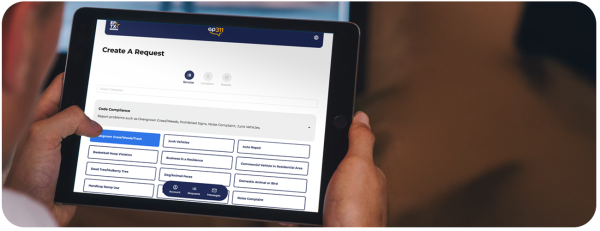
User using the 311 App on tablet device

How do I follow up on service requests?

El Paso 3-1-1 will send an automatic “Service Request” to the corresponding department for their response. A tracking number is assigned to each Service Request and the public can call back to check on the status of their request. While we try to answer questions on the first call, sometimes transfers are necessary.

How to Submit a 311 Service Request

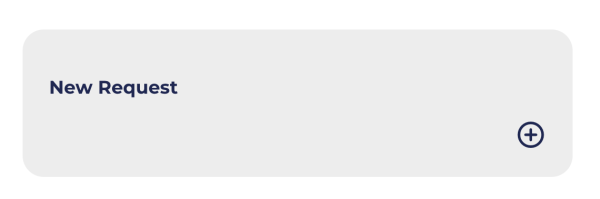
Click “New Request

On the EP 311 homepage, select the New Request button to begin.

EP 311 Create a New Request button


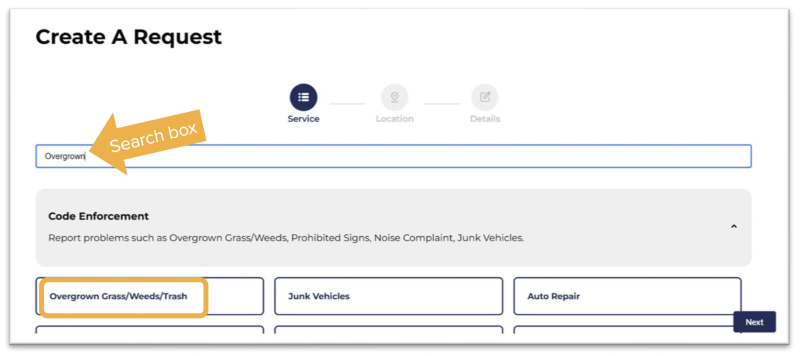
Choose the Issue Type

  • Type what you’re reporting into the search box or
  • Scroll through the list of categories and select the one that matches your issue (e.g., weeds, potholes, graffiti).

service request search box

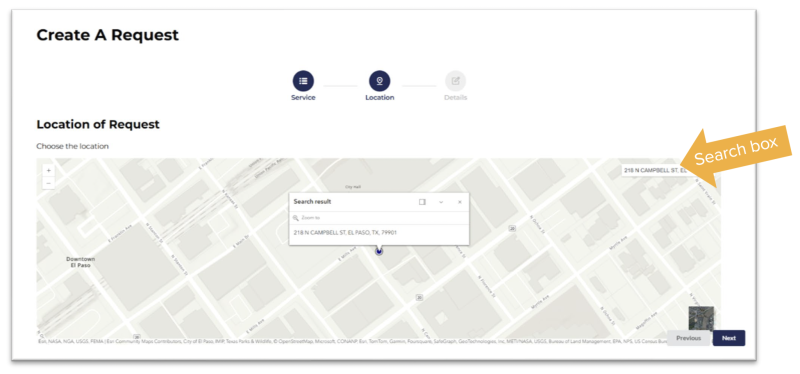
Select a Location

On the map, either:

  • Click a point where the issue is located, or
  • Search for an address using the map search box.

Select a Location of Request


Submit

Once you've chosen your issue, location, and request details, submit your request. After submitting, the request will appear in your open requests list with its current status.

Download the Step-by-Step Guide

311 Frequently Asked Questions

How do I add EP311 to my mobile device's home screen?

Follow the instructions on the Add to Home Screen page to easily add the EP311 Web App to your mobile device's home screen.

How do I report missed pick-up and other trash container issues?

Please visit the Environmental Services Application.

What is the difference between a web app and a mobile app?

A web app (application) is a program you use through a web browser. It works on any device that can browse the web, is always up-to-date, and provides the same experience for all users. A mobile app, on the other hand, is a program you download and install directly on your phone or tablet. You need to keep a mobile app updated, reinstall it if you get a new device, and the experience can vary between devices.